|
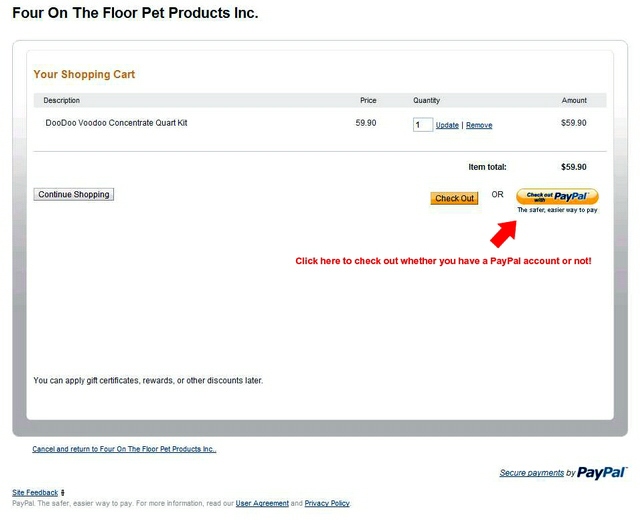
Welcome To Our PayPal Instructions Page Some customers get confused by the PayPal process, but it's really easy, secure and pretty foolproof. You can pay with MasterCard, Visa, Discover or American Express via PayPal. You do not need to already have --- or set up --- a PayPal account to use PayPal. Below are some graphics showing what to you'll see when you order from us via PayPal. The instructions are minimal and simple. In the first graphic, you see the item(s) you desire to purchase, the quantity (which you can change & update) and there's a link near the bottom via which you can return to our site if you want to shop more (see where it says in blue "Cancel and return..."?):
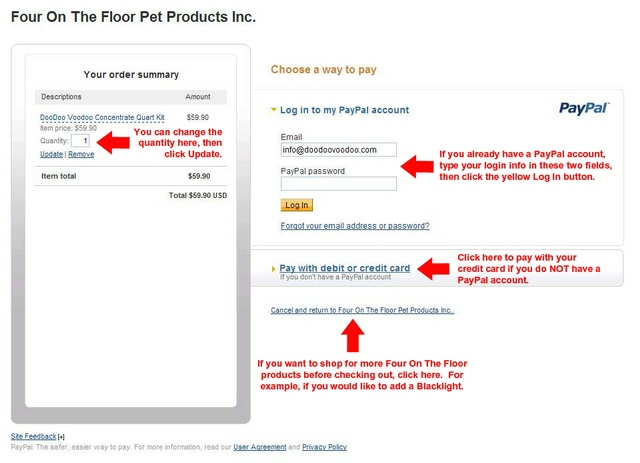
If you click on the Check Out With PayPal button on the first screen (above), it takes you to this second screen. Here you can change the quantity of any item you're purchasing, log in to your existing PayPal account, check out even if you do not have a PayPal account or go back to the DooDoo Voodoo site to do more shopping or research:
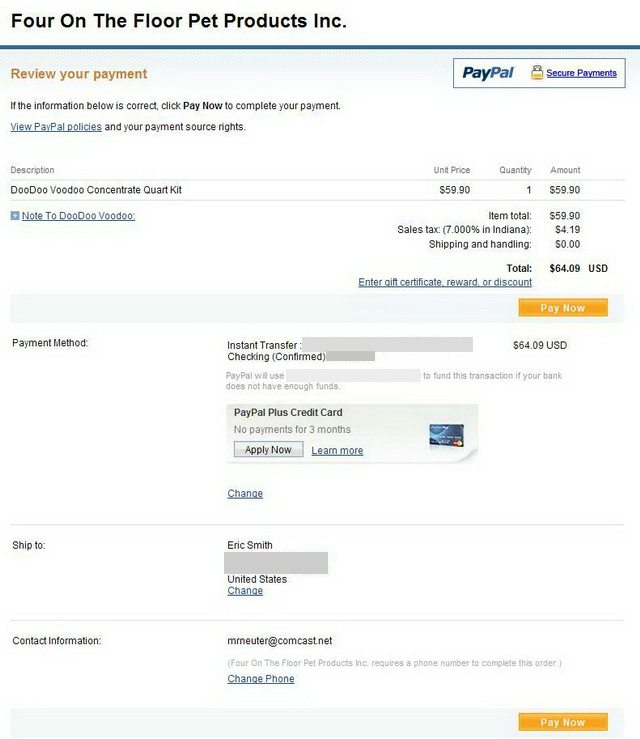
When you purchase via our site and pay with PayPal, you need to enter your phone number, which FedEx requires when we ship your package. Note that we do not sell, rent or provide your number to any outside entity except FedEx and we will not hound you on the telephone trying to get you to order more product from us. This is the page you may be taken to during the PayPal checkout process (what you see may be different, but it should function the same). Notice the Contact Information area at the bottom and where it says Change Phone. When you order, you MUST enter a phone number. Not doing so will delay shipment of your order while we try to contact you to get a phone number! The number you enter can be a home phone, a work phone or a cell phone, but it has to be a valid number where FedEx can reach you if they're having trouble delivering your package. You can change your payment funding source, jot us a quick note, etc., on this page. Thanks for helping us get your shipment to you as quickly as possible.
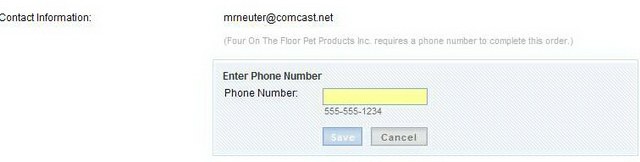
Here's what you'll see once you click on Change Phone in the screen above. (Yours may not show as a yellow box.) Enter your phone number, then click Save.
|